wake fully, sit quietly.
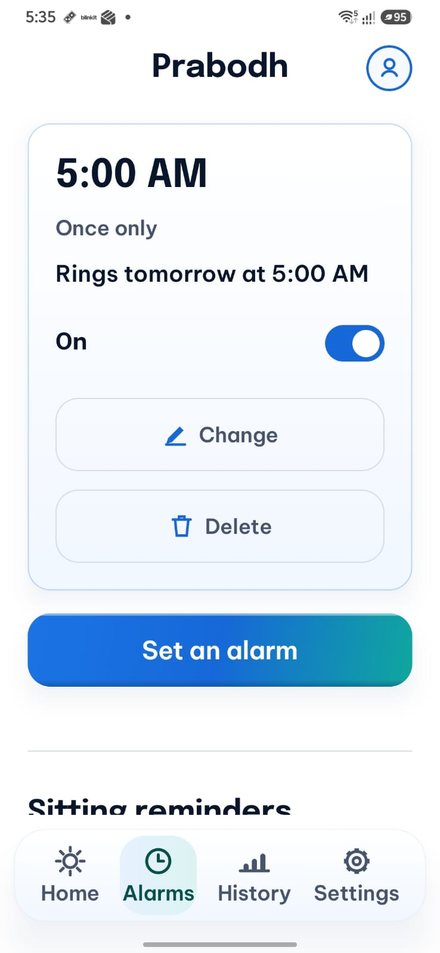
Prabodh wakes you at the time you set. It keeps ringing until you have done two small things, so you are properly up. Then it gives you a few quiet minutes to sit.
अलार्म तभी बंद होता है जब आप दो छोटे काम कर लें, ताकि आप ठीक से उठ जाएँ।
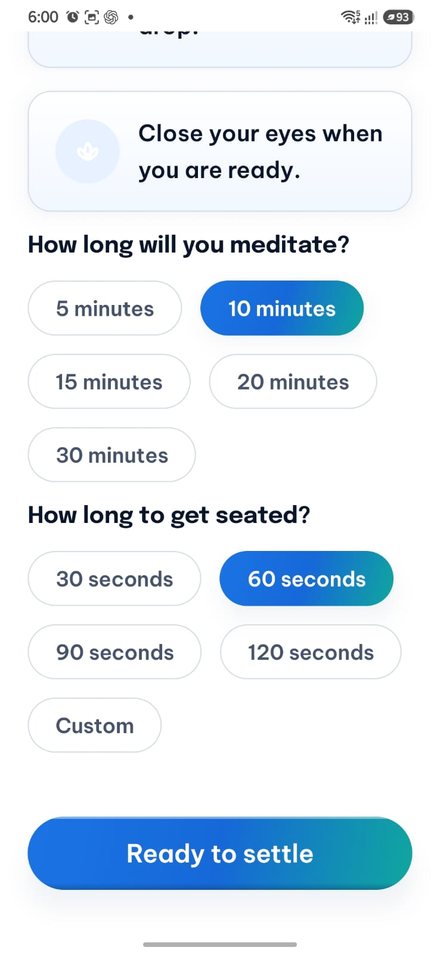
उठें · बैठें · आरंभ
Three things happen, and only the first is loud.
It rings
Loudly, on the alarm channel. Silent mode and Do Not Disturb do not stop it. You cannot turn the volume down yet.
You do two small things
Walk a few steps. Solve a small sum. Scan a sticker you put up across the room. Only then does the alarm stop.
You sit
A countdown starts, and you sit for a few minutes. A timer, a breathing circle, and nothing else.
White paper, one blue gradient, nothing shouting.
Big text, plain words, and one main button per screen. Made for people in their fifties, sixties and seventies, on cheap phones.
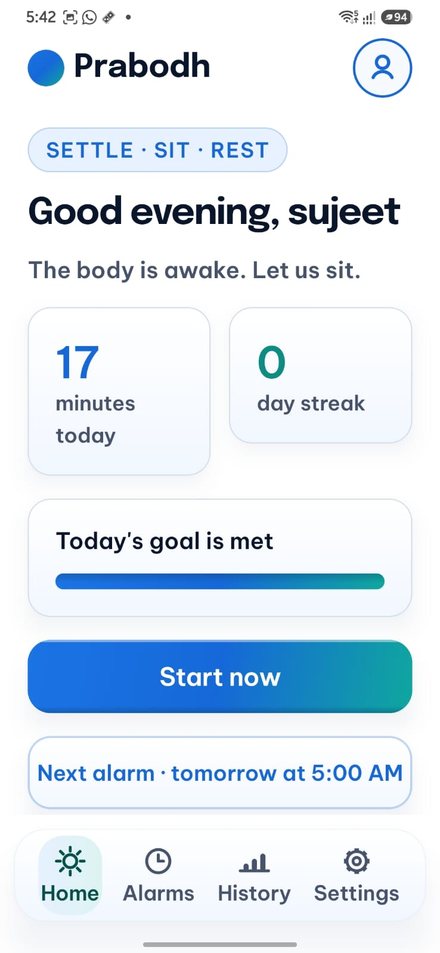
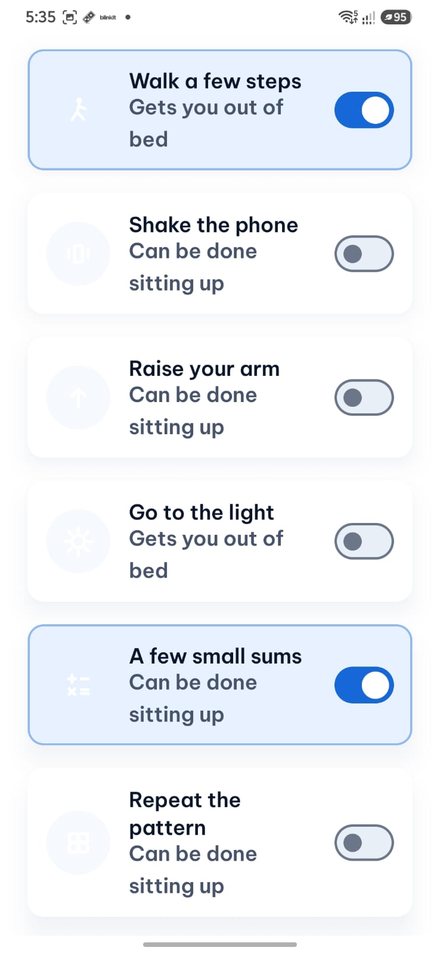
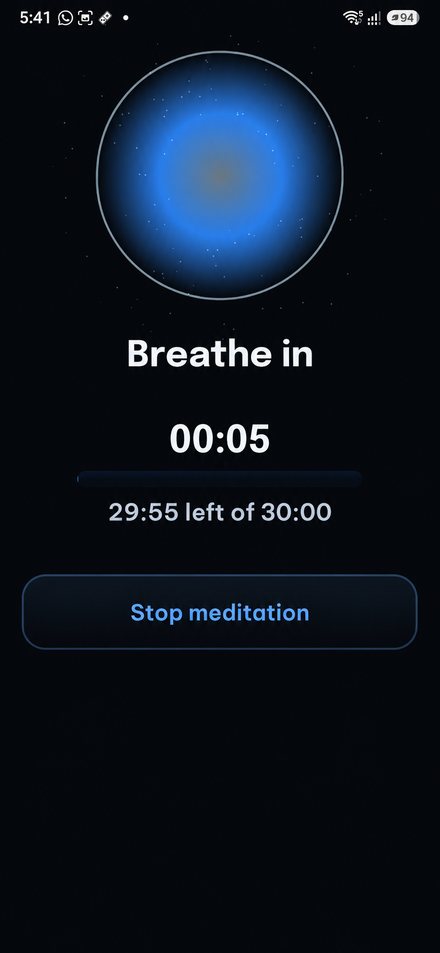
Five steps, and only one is loud.
The alarm will not stop while you are still in bed. Everything after that is gentle.

Twelve small tasks. You pick two.
If your phone cannot run one of them, it simply does not show up. The app never tells you your phone is not supported.
Get you moving
One of your two must come from this list.
Walk a few steps
Scan your sticker
Shake the phone
Raise your arm
Go to the light
Scan something
Wake up your head
No sensors needed. These work on every phone.
A few small sums
Repeat a pattern
Type a line
Slide the picture
Spot the difference
Odd one out
It does not try to catch you sleeping.
Dozing off at 5am is normal, and older phones cannot detect it reliably anyway. So the app turns it around: staying awake is what keeps the timer running. You can switch this off completely.
Thumb on the screen
Rest the phone on your open palm with your thumb touching the screen — not pressing. The timer runs while your thumb is there.
Lift it and the timer stops, and a soft bell rings five seconds later. Put it back and it carries on. If you fall asleep your hand relaxes, your thumb lifts, and the bell wakes you.
Or a bell every few minutes
A bell rings every 2, 3 or 5 minutes — you choose. You have 10 to 30 seconds to answer it. Miss it and the session pauses.
Falling asleep is never punished. If the app can tell you dozed off, your streak stays and nothing is taken away.
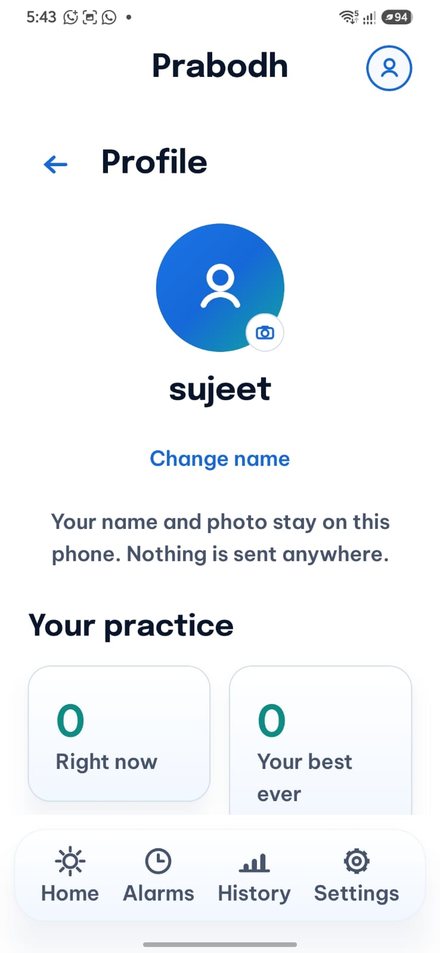
Every screen, straight off the phone.
White background, one blue-to-green gradient, big text. The alarm, the tasks and the sitting screen go almost black, because nothing should flash white at you at 5am.
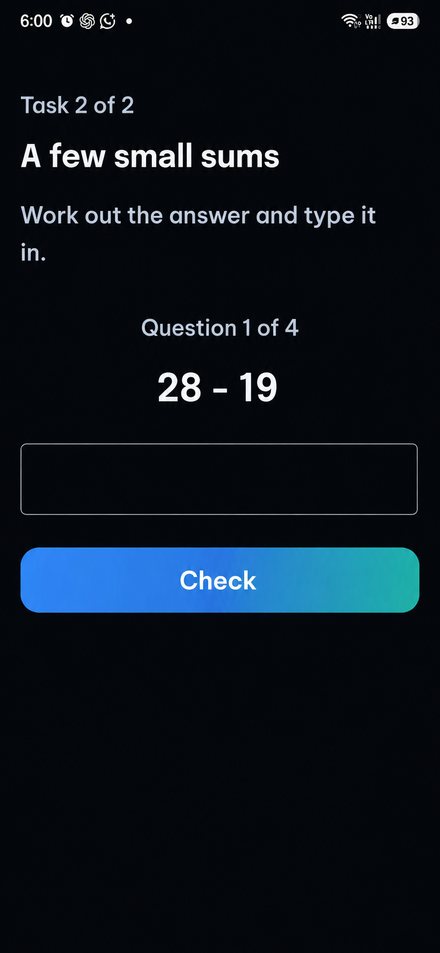
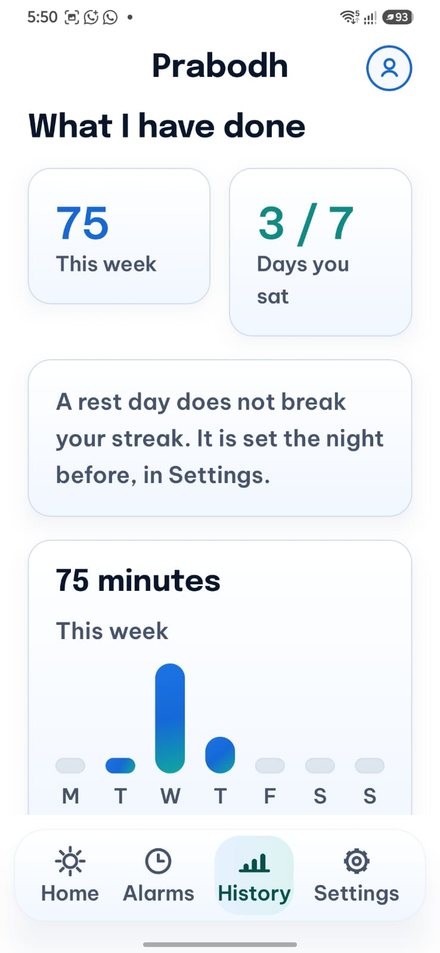
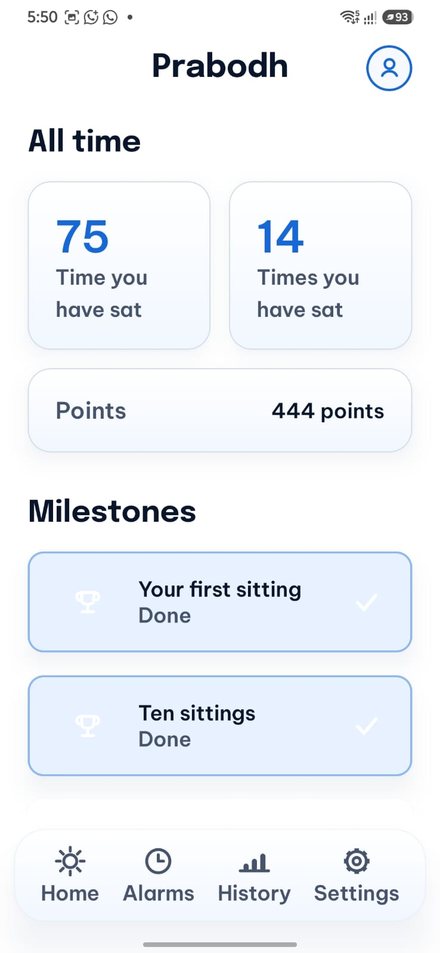
Points for what you actually did.
One main sitting each day builds your streak. Extra ones are welcome but do not change it, so a broken streak is never a mystery.
| The day | What happened | Points |
|---|---|---|
| Perfect | You started on time and sat the full time | Full, plus the bonus |
| Done | You sat the full time, but started late | Full, no bonus |
| Partial | You stopped early | For the minutes you did |
| Missed | You did not sit at all | You lose some points |
| Rest day | You marked it the night before | None, and your streak is safe |
- Shields — one every 10 days, two at most A shield saves your streak on a day you miss or cut short. It does not save the points. If you simply fell asleep, your streak is safe anyway and no shield is used.
- Rest days One a week, set the night before. It earns nothing, breaks nothing, and costs no shield.
- Why you lose a share, not a fixed number A fixed penalty would wipe out a beginner on their first slip. A share of your own average stings if you have been going a while, and leaves a beginner room to recover.
Only one of them builds the streak.
You choose which sitting is your main one — it does not have to be the morning. An evening reminder arrives as an ordinary notification you can swipe away, never as an alarm.
| Kind | How it starts | Wake tasks | Countdown | Builds streak | Rate |
|---|---|---|---|---|---|
| Main | Your alarm | Yes | Yes, the length you set | Yes | 10 |
| Reminder | A notification | No | 10 minutes, gentler | No | 10 |
| Anytime | You tap Start now | No | No | No | 8 |
Nothing leaves the phone.
There is no server to send anything to. The app is built without the ability to go online at all.
- No internet
- No account
- No sign-in
- No tracking
- No ads
- No microphone
- No location
- No contacts
Your alarms, sittings, streak and points are saved on the phone and stay there. The app asks for one permission at a time, on a plain screen that says why, right before it needs it.
If the alarm fails once, people stop trusting it.
So it is built assuming the phone will try to shut it down — because on cheap Android phones, it will.
- Set as a real alarm clock Not an ordinary timer, so Android gives it priority. The next one is set again every time it rings.
- It takes the whole screen Not a small notice you can miss in the tray.
- It holds the phone awake while ringing And the countdown afterwards keeps going even with the screen off for half an hour.
- It plays on the alarm channel So silent mode and Do Not Disturb do not silence it.
- Set again after a restart, an update, or travel Three moments where alarms quietly vanish if nobody puts them back.
- A short setup guide for phones that kill apps Xiaomi, Realme, Oppo, Vivo and Samsung each hide these settings somewhere different. The guide walks you to the right screen, with the English menu names in brackets — most phones here run their menus in English.
Works on the phone you already have.
Not every Android phone has a light sensor or a step counter, and that should not decide whether an alarm works. The app checks what your phone can do and quietly arranges itself around the rest.
- You are never told your phone is the problem A task your phone cannot run simply is not offered. No warnings, no greyed-out rows, no "unsupported device" message. It just works with what is there.
- Step counting works either way If there is no step-counting chip, the app counts your steps itself. Same task, same result.
- Nothing depends on a fast phone No heavy graphics and no background work. The alarm is the only thing that must be exact, and that is handled by Android itself.
Big text is not a setting. It is the design.
Text and colour
Nothing smaller than 18sp anywhere. Headings from 26sp. If you turn your phone's text size up to 130%, every screen still fits.
Strong contrast everywhere, and colour alone never carries meaning — there is always a word or a shape too.
Buttons and reach
Main buttons run the full width and are 64dp tall. Two actions on a screen at most.
Every icon has a word next to it. Four buttons at the bottom, no hidden menus. Every tap answers within a fifth of a second.
Your language
Switch language any time in Settings, and the whole app follows — every screen, every button, every message.
ध्यान शुरू करें — written properly in the script, never spelled out in English letters.
Plain words
No jargon in either language. If something goes wrong you get a plain sentence telling you what to do next, never a code.